Chair-supported yoga is well suited to online delivery because it requires limited floor space and uses familiar equipment. However, the instructor can only respond to what the camera shows. Effective online chair yoga therefore depends on stable furniture, useful camera placement and feedback that acknowledges the limitations of remote observation.
A poorly positioned camera may hide the feet, chair legs or surrounding hazards. Improving the setup can make the session safer and more instructive without requiring expensive equipment.
Begin With the Chair, Not the Camera
The participant should first choose a stable chair. A dining-style chair without wheels is often more suitable than a rotating office chair.
The chair should stand on a non-slip surface with enough space around it. Bags, cables and loose rugs should be moved away.
If only a wheeled chair is available, the participant should tell the instructor. The session may need to avoid standing movements that rely on firm support.
A camera cannot compensate for unsuitable furniture.
Use a Wide Enough View
The instructor needs to see the participant and relevant equipment. A close view of the face may work for a meeting but is insufficient for movement feedback.
For seated work, the frame should generally show the head, torso, hips, knees and feet. For standing movements, the full body and chair should be visible.
The device may need to be placed farther away or turned horizontally. A stable stand is preferable to leaning the phone against an object that can fall.
Participants should test the view before class rather than using session time for repeated adjustment.
Select the Angle According to the Movement
One camera position cannot show every detail.
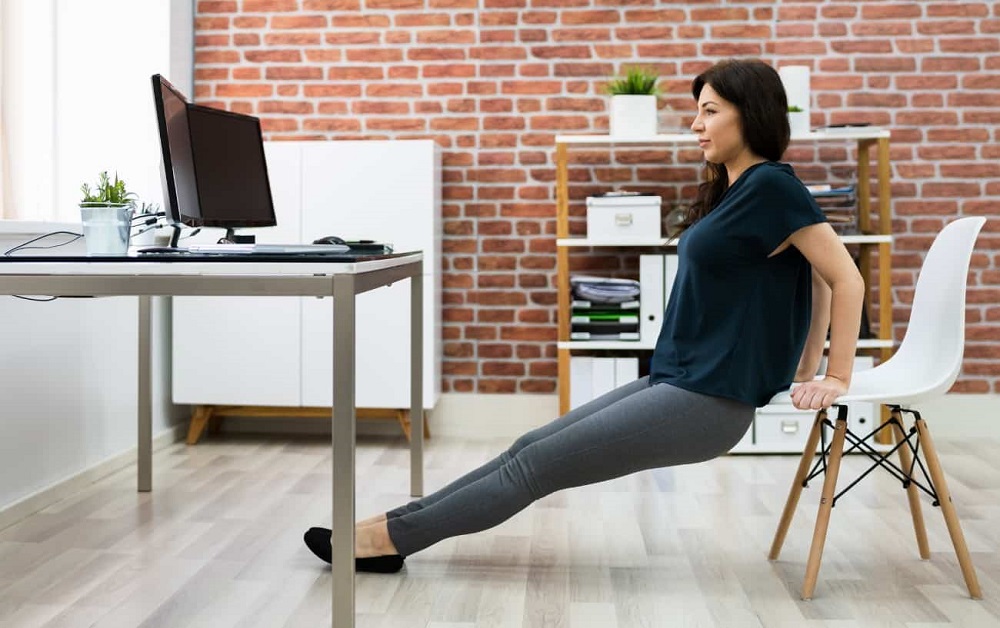
A front view is useful for observing weight shifts, knee direction and left-to-right differences. A side view can show sitting posture, hip movement and the relationship between the participant and chair.
The instructor may ask for one angle change during a private session. In a large group, repeated changes are impractical, so the class should be designed around what the main view can show.
Participants should not move the device while balancing or exercising.
Lighting and Clothing Affect Visibility
Strong backlighting can turn the participant into a silhouette. The main light source should ideally be in front or slightly to the side of the person.
Clothing should allow comfortable movement and make body position reasonably visible. Extremely loose garments can conceal joint movement, but participants should not feel pressured to wear tight clothing on camera.
Privacy and comfort remain important. Participants can position the camera to avoid displaying unnecessary parts of the home.
Virtual backgrounds may distort moving limbs and make instruction harder.
Remote Feedback Should Be Specific
General encouragement does not tell participants what to change. Useful feedback refers to a clear task.
Examples include:
- Move the chair slightly closer before repeating.
- Use more hand pressure during the weight shift.
- Reduce the range so the foot remains grounded.
- Slow the lowering phase.
- Keep the movement within the camera frame.
- Stop if the sensation becomes sharp or neurological.
The instructor should avoid making confident claims about details they cannot see.
When the view is insufficient, asking the participant how the movement feels is more responsible than guessing.
Use Verbal Self-Checks
Online classes benefit from cues participants can verify themselves.
A self-check may involve confirming that all chair legs remain stable, the feet are in contact with the floor or the hand can reach support without leaning.
Participants can also monitor breathing, perceived effort and joint comfort. These internal checks remain available even when the video briefly freezes.
Teaching self-assessment improves independence beyond the online session.
Manage Group Visibility
In a large virtual class, the instructor may not be able to watch every participant continuously. The class description should make this limitation clear.
Participants may choose to keep their camera off for privacy, but they should understand that individual visual feedback will then be unavailable.
Organisers should not record workplace sessions automatically. Consent, storage and access need to be addressed separately.
Employees should not be required to display their homes or bodies to colleagues as a condition of joining a wellness activity.
Plan for Connection Problems
Audio delay and frozen video can disrupt movement timing. Exercises should not rely on rapid changes or immediate visual correction.
The instructor can demonstrate first, describe the movement and then allow participants to begin. Clear stop points help if the connection drops.
Participants should know what to do when audio is lost. Returning to seated rest is safer than guessing the next movement.
A backup written sequence may be useful for familiar exercises, but it should not introduce complex tasks independently.
Know the Limits of Online Delivery
New pain, unexplained dizziness, substantial balance changes or significant mobility concerns may require in-person assessment or healthcare advice.
The instructor cannot provide physical assistance through a screen. Exercises should account for that limitation.
Online chair yoga works best for participants who can understand instructions, manage their environment and use an appropriate chair.
Convenience should not override the need for another form of support.
Make Technology Serve the Session
At Yoga Edition, participants can use chair-supported practice as an accessible option for hybrid schedules when remote delivery is suitable. A clear camera view helps the instructor provide more relevant feedback.
Effective online teaching does not require advanced motion-tracking software. Stable equipment, good framing and honest communication are more important.
The camera shows only one part of the movement experience. By combining useful angles with verbal self-checks and participant feedback, online chair yoga can remain practical without pretending that remote observation offers the same information as being in the room.